Hosting Terms
What is WordPress?
What WordPress really means, with the jargon taken out — plus the example that makes it obvious.
Straight answer first
WordPress is the open-source publishing platform behind roughly four in every ten websites — the usual answer when somebody asks how to get a site they can update themselves.
Below: the fuller explanation, a picture that makes it stick, why it matters in practice, and where you will actually run into it.
Written by the Hosting Seller staff · Checked 1 August 2026
100+
Terms on the shelf
2 min
Typical read
Plain
English, we promise
24/7
People if you're stuck
The ecosystem is what protects it. Tens of thousands of plugins and themes, a tutorial for every question you could think to ask, and hosting tuned for it almost everywhere. The software costs nothing; you pay for hosting and, if you want them, premium add-ons.
The self-hosted version — the one that runs here — is yours outright. You own the code, the data and whatever you earn from it. That is a different arrangement from the hosted wordpress.com service, where the plan you are on decides what you may do.
The everyday comparison
The standard pallet size of web publishing. Everyone's forklifts, shelving and delivery vans were built to handle it, so your goods fit wherever you take them.
Comparisons simplify, naturally — but this one holds together well enough to reason with, and reasoning is the whole point of a glossary.
What it means for your own site
Picking WordPress buys you options. Any developer can pick the work up, most features already exist as a plugin, and moving hosts is a normal Tuesday rather than a rebuild. Being common is itself the benefit.
That is the test for any technical term, incidentally — not 'do I understand it fully' but 'do I know when it is the answer to my problem'. For this one, you now do.
One concrete example
A shop owner's site is built by one freelancer, maintained a year later by another, then extended with a booking plugin. Three parties involved, nobody held hostage, because they were all standing on the same ground.
Perfectly ordinary once you have seen it, which is rather the point: most hosting concepts are simple machinery wearing an intimidating name.
The Hosting Seller angle
You will meet it in the control panel and occasionally in a support conversation, usually already set the right way. If this term made sense, the natural next reads are CMS, PHP, WooCommerce and Plugin.
Bring an existing site and we shift it across at no charge — usually inside 24 hours, with nothing going dark while we work.
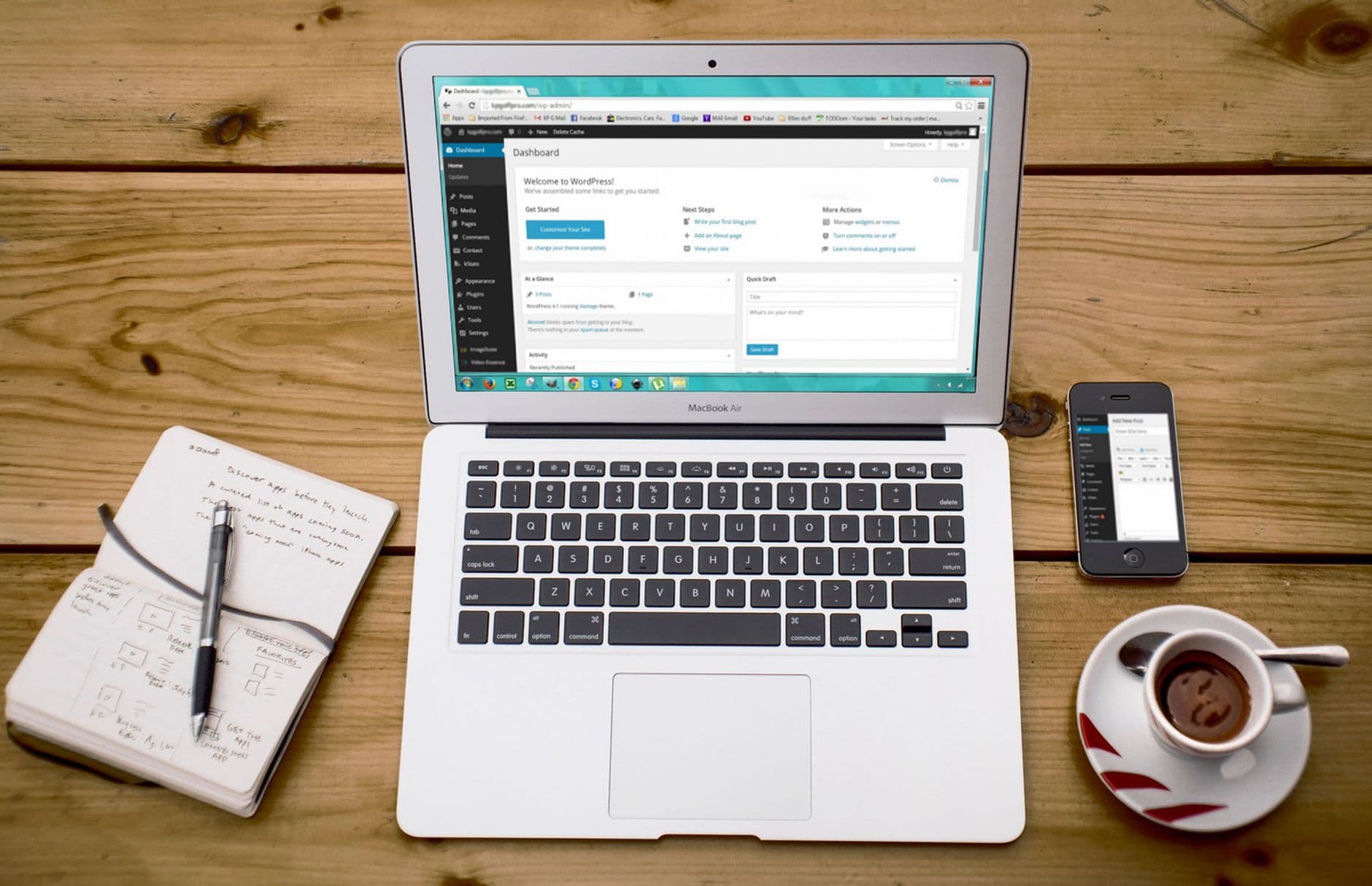
Unexplained jargon is bad service
Every confusing term in hosting turns into a support ticket sooner or later, so we defined the hundred most common ones properly, once, in the plain English we would use across the counter.
SSL comes free with every plan and reissues itself before it lapses, so nobody has to diary the padlock.
- 100+ terms, all in plain English
- Everyday comparisons and real examples
- Related concepts linked together
- Written by the people on the desk
Why Hosting Seller
On every plan, as standard
Pictures that stick
Each concept gets a comparison you will still remember at the moment you actually need it.
Linked, never siloed
Related terms cross-reference each other, so one lookup grows into a working understanding.
Grounded in real kit
Examples point at hosting you would actually use, not at an abstract diagram.
The stakes spelled out
Not only what it is, but when it turns out to be the answer to a problem you are having.
Plain English first
Every term defined for people who run sites, not for other sysadmins — jargon translated rather than restated.
The next reads, mapped
Read on into CMS and PHP — terms rarely stand alone, so the neighbours are linked.
First Steps
From choosing to live
- 1
Find it in your own account
The quickest way to learn a hosting term is to find it in your own panel; five minutes of looking beats an hour of reading about it.
- 2
Check what the defaults are
Confirm how your account has this set. It is usually right by default here, and now you will know rather than guess.
- 3
Follow the terms next door
Concepts travel in packs — CMS, PHP and WooCommerce finish this one's picture, and each is a two-minute read away.
In the Box
Packed with every plan
- DDoS filtering handled out at the network edge
- Webmail in the browser plus IMAP, POP and SMTP for your own client
- A domain free for year one when you order annually
- A free SSL certificate on every plan, reissued before it lapses
- LiteSpeed caching running at the server, not bolted on by plugin
- Mailboxes that carry your own domain name
- A backup taken daily, with restores you run yourself
- cPanel, the panel the rest of the trade already knows
- A 30-day money-back guarantee on every hosting plan
- Upgrades apply to the account in place, with no move between plans
Across the Counter
The questions we get asked most
Is WordPress actually free?
The software is, completely. Your costs are hosting, from a few pounds a month, plus any premium theme or plugin you decide is worth buying. Compare that with the hosted platforms whose transaction cuts and lock-in only show up later, and WordPress looks better with every year the site keeps running.
How secure is WordPress in practice?
The core is maintained by professionals and patched quickly. Real break-ins come through out-of-date plugins and weak passwords far more often than through the core itself. Kept updated and sensibly configured, it is about as safe as widely used software gets.
How do I read the mail when I am away from the desk?
Webmail opens in any browser, and every mailbox also speaks IMAP, POP and SMTP — so the mail app on your phone, the client on your desktop and webmail all show the same messages in the same order.
How quickly can I be up and running?
Minutes, not days. The account opens the moment the order clears, the domain — free for year one on annual plans — attaches straight away, and the one-click installer puts WordPress or any of 400+ applications on the page before you leave your chair. Already have a site elsewhere? Hand it over and we move it free, usually inside a day.
Who actually runs the company?
Hosting Seller is a trading name of Bohzo Ltd, a company registered in England and Wales — a real business with a public record and terms published under English law. Looking that up is worth doing about any host before you hand over your domain.
Which control panel comes with the account?
cPanel, which the whole trade already knows. That means every tutorial online matches what you see, your backups restore onto any cPanel host anywhere, and what you learn here stays useful for life. Plesk and DirectAdmin are stocked on specific plans for anyone who prefers them.
Does the price climb when the term is up?
No. What you pay to order is what you pay to renew, year after year. We do not run teaser rates, so there is no year-two ambush waiting in the calendar, and your bookkeeping can treat the hosting line as a fixed number.
Read next
CMS (Content Management System)
A CMS is software that lets people write and manage the contents of a website through an editing screen rat…
PHP
PHP is the server-side language behind most of the web's dynamic sites — WordPress, WooCommerce and the bul…
Dedicated Servers
Bare metal, a control panel included, and bundles priced plainly.
Laravel Hosting
Composer, SSH and Git deploys on hosting shaped for Laravel apps.
Packing up and moving host? Take our checklist.
A plain running order for a move nobody notices: what to copy first, how to carry email across without dropping a single message, when to point DNS, and the two slips behind nearly every hour of downtime we get called about.
Your site is worth better hosting.
From a first website to a rack of servers, moving up is a change to your account rather than a migration.
See the plans