Fully Managed WordPress
Managed WordPress hosting: the platform is our job, the writing is yours
AccelerateWP with Redis caching, staging and hardening a click away, WordPress Toolkit Deluxe on every plan — plus a free domain, SSL certificate and move-in to get you started.
$4.19
Launch tier, billed annually
Free
Domain, certificate and move-in
1-click
Duplicate a site, or seal it shut
24/7
WordPress people on duty
Pricing
Managed WordPress plans, and the honest figures beside them
One blog or a shelf of 100 sites — caching, staging and hardening are stocked at every tier.
Launch WordPress
Managed WordPress, arranged around a single site
$4.19/mo
$50.28 today · billed annually
the renewal price is the same
- SSD storage
- 10 GB
- WordPress sites
- 1
- CPU / RAM
- 1 core / 2 GB
- Monthly visits
- 100k
- AccelerateWP and Redis caching take the load off
- Keep up to 10 staging copies on the side
- A single click shuts the usual WordPress holes
- WordPress Toolkit Deluxe is stocked with the plan, no surcharge
- Drive the whole install from WP-CLI or SSH
- Domain, SSL and backup all sit inside the price
- Managed WordPress on NVMe, LiteSpeed in front
- Core and plugin updates handled without you
- Clone a site, or roll it back, in one click
- One domain name, registered in your name, free for year one
- Bringing an existing WordPress site over? We migrate it and bill nothing
- ImunifyAV+ watches every site for malware
- Real people answer, round the clock
Orders are rung up on Hosting Cheap, which is the billing platform behind our checkout.
Pro WordPress
Enough capacity for every WordPress site your business happens to run
$5.59/mo
$67.08 today · billed annually
the renewal price is the same
- SSD storage
- 20 GB
- WordPress sites
- 25
- CPU / RAM
- 2 cores / 4 GB
- Monthly visits
- 400k
- Redis caching under AccelerateWP handles the grunt work
- Keep up to 10 staging copies on the side
- Common WordPress weak points, hardened in one click
- WordPress Toolkit Deluxe comes in the box, and costs no more
- Drive the whole install from WP-CLI or SSH
- No separate line for domain, SSL or backups
- Managed WordPress on NVMe, LiteSpeed in front
- Core and plugin updates handled without you
- Clone a site, or roll it back, in one click
- Year one of the domain registration, paid by us
- Got a WordPress site elsewhere? We move it, no fee
- ImunifyAV+ watches every site for malware
- Real people answer, round the clock
Orders are rung up on Hosting Cheap, which is the billing platform behind our checkout.
Elite WordPress
Built for WordPress sites that need to hold their speed once traffic arrives
$9.09/mo
$109.08 today · billed annually
the renewal price is the same
- SSD storage
- 200 GB
- WordPress sites
- 100
- CPU / RAM
- 3 cores / 6 GB
- Monthly visits
- 1M
- AccelerateWP, plus Redis caching, carries most of the weight
- Keep up to 10 staging copies on the side
- One click and the familiar WordPress gaps close
- You get WordPress Toolkit Deluxe, and we charge nothing for it
- Imunify360 stands guard, and backups run every 4 hours
- Domain, SSL and priority support add nothing to the bill
- Managed WordPress on NVMe, LiteSpeed in front
- Core and plugin updates handled without you
- Clone a site, or roll it back, in one click
- One free domain name, covering the whole of your first year
- Shifting a WordPress site to us? We handle it, free
- PHP X-Ray on CloudLinux Pro, so slow code shows up
- Priority support, round the clock
Orders are rung up on Hosting Cheap, which is the billing platform behind our checkout.

Performance
Redis and AccelerateWP, tuned and ready to go
When WordPress crawls, the cause is nearly always duplicated effort: the same page assembled again, the same queries fired again, for each person who lands. Both of those get cut. Cached pages come out of AccelerateWP with their assets trimmed, Redis parks the database results you hit most often in memory, and the site keeps its pace with one reader on it or a thousand at the same moment.
- Page and object caching live from day one
- CSS, JS and images optimised without setup
- Query results held in memory by Redis
- NVMe-class storage under every account
Optimisation
Six habits that shave off the remaining milliseconds
The platform carries the heavy end. These half-dozen habits handle what is left, and none of them take long.

- 1
Leave full-page caching alone
AccelerateWP turns this on without being asked. Leave it running and a returning visitor gets a finished HTML page, not one built from scratch on request.
- 2
Switch Redis object caching on
Switch it on from inside the WordPress Toolkit and query results start arriving out of memory. Baskets, site search and pages behind a login are where the difference shows most.
- 3
Pick a light theme
Compared with a page-builder theme, a lean block theme sends over much less CSS and JavaScript. Render time falls before caching has lifted a finger.
- 4
Size and lazy-load images
Upload pictures at the size you genuinely display them, then hand them to AccelerateWP to compress and lazy-load. On most pages, images outweigh everything else by a distance.
- 5
Keep the plugin list short
Keep the plugins you actually use, and let smart updates patch those. Every spare one brings more queries, more scripts and one more weak spot to fret over.
- 6
Move to a current PHP build
Choose PHP 8.x from the selector in cPanel. A modern build runs WordPress a good deal faster than the 7.x releases that plenty of sites are somehow still sitting on.
Prefer the longer read? We put together a guide on getting more speed out of budget WordPress hosting plans.
What Sits On The Shelf
Everything a WordPress site needs, fitted before you arrive

AccelerateWP does the tuning
The platform itself handles full-page caching, CSS and JS optimisation, and image delivery that makes sense. You assemble no plugin stack. Nothing needs configuring before any of it starts doing its job.
Object caching through Redis
Memory holds on to database lookups that keep repeating, which leaves a dashboard, a basket or any other dynamic page brisk once real visitors arrive.
A staging copy in one click
Make a duplicate of the live site, try a theme or an update on it, and push through to production only when you like the outcome.
WordPress Toolkit Deluxe included
One panel gathers installs, clones, updates and security across every site you run. Smart updates try each change out on a duplicate first, so production only meets what already worked.
Shut tight from the first day
A single click tightens file permissions and shuts the XML-RPC and login routes intruders reach for first. Malware scanning stands watch from then on.
Domain and SSL on the plan
Your first year of the domain, an SSL certificate issued without asking and daily backups sit inside the price on the tag. Nothing extra gets added when you check out.
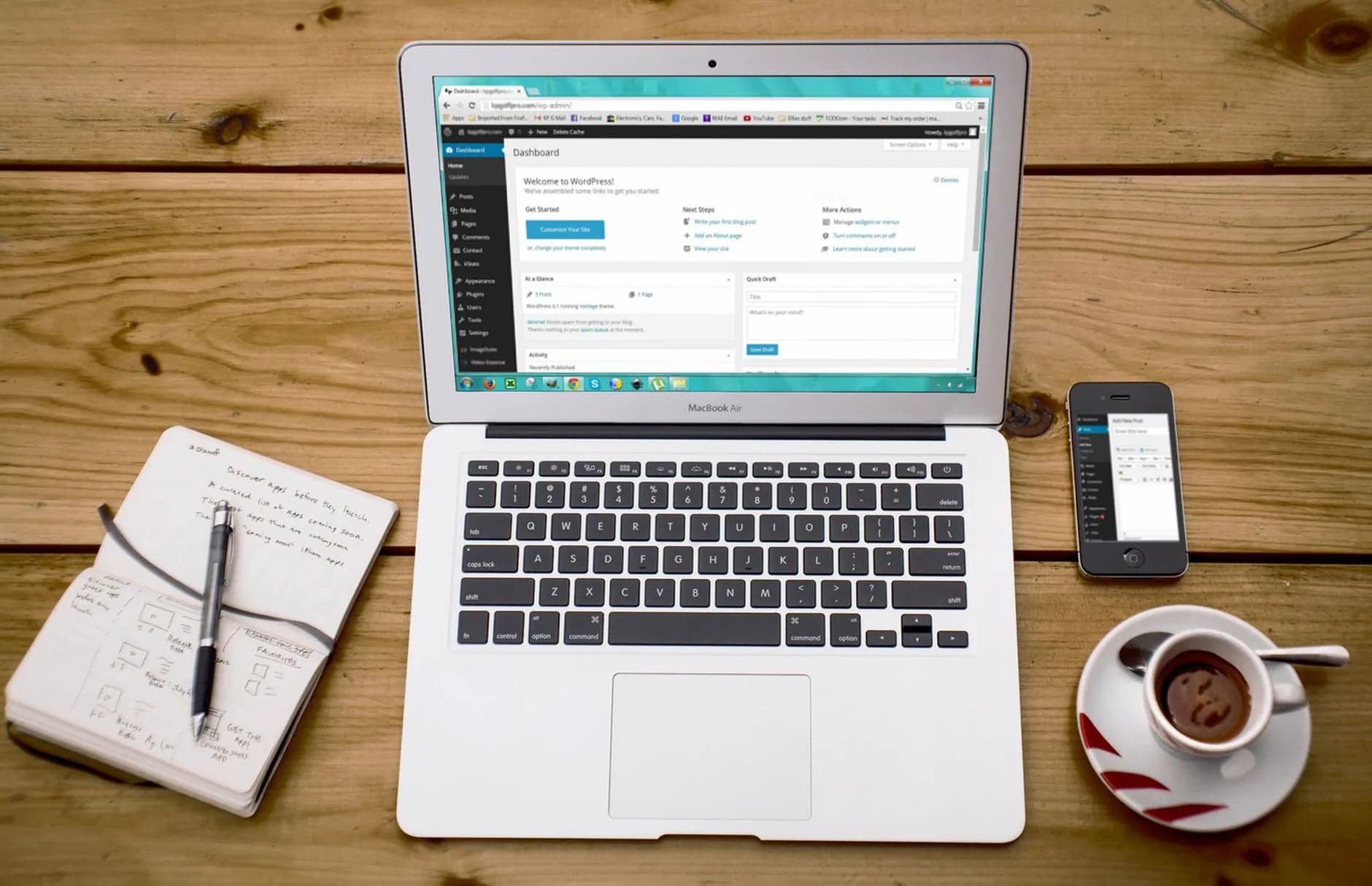
Stay In Control
Staging, plus WordPress Toolkit Deluxe
Nobody should be testing on a live site any more. Copy production across to staging, run updates, new themes and plugins you have never used through their paces on it, then promote whatever survives with one click. Every site stays in a single tidy list under WordPress Toolkit Deluxe, and its smart updates catch trouble long before a visitor could stumble into it.
- Duplicate any site to staging in one click
- Promote the copy when you are ready
- Install, duplicate and manage from one panel
- Smart updates rehearse before they apply
Compare
The tiers, side by side
Moving up a tier as traffic climbs takes a couple of clicks and nothing else.

| What you get | Launch WordPress | Pro WordPress | Elite WordPress |
|---|---|---|---|
| SSD storage | 10 GB | 20 GB | 200 GB |
| WordPress sites | 1 | 25 | 100 |
| CPU / RAM | 1 core / 2 GB | 2 cores / 4 GB | 3 cores / 6 GB |
| Monthly visits | 100k | 400k | 1M |
| Caching by AccelerateWP and Redis | |||
| Staging copies | |||
| WordPress Toolkit Deluxe | |||
| Domain, SSL and nightly backups |

Security
Locked down, backed up daily, kept under watch
No site's safety should rest on a plugin somebody forgot to configure. A click tightens file permissions and closes the routes intruders test first, XML-RPC and brute-forced logins included, with malware scanning working away behind that. Free SSL plus daily backups leave the site encrypted and recoverable from the first minute it is live.
- One-click hardening on every site
- Malware scanning that keeps running
- SSL certificates that reissue free
- Daily backups you can restore any time
Suits
Built to suit however you work with WordPress

Writers and creators
Post when it suits you; the pages will keep pace. Caching and NVMe-class storage hold a content site steady, and you never touch a setting to make that happen.
Agencies and freelancers
Each client gets their own staging copy. Deliver work you have already rehearsed, and keep an eye on the entire portfolio from inside the WordPress Toolkit.
Developers
With WP-CLI, SSH and staging environments kept separate, whatever workflow you use now transfers across intact. No habit of yours needs breaking to fit in here.
How It Works
From order to a live site in three steps

- 1
Pick the tier that fits
One site runs on Launch, while Pro and Elite each stretch to 100. Caching, staging and hardening sit on the shelf at every tier rather than being sold as add-ons.
- 2
Start fresh or move in
A new WordPress install goes up with one click. Prefer to hand your existing site over? Our team does the migration for nothing, and it usually lands inside 24 hours.
- 3
Build, rehearse, publish
Test your changes on a staging copy first, push them live once they stand up to it, and leave the pace to AccelerateWP and Redis. Security we watch, hour after hour.
In The Box
Included with every plan, nothing to add on
- The AccelerateWP speed toolkit
- Object caching handled by Redis
- Staging copies across as many as 10 sites
- WordPress Toolkit Deluxe, the full edition
- Hardening applied in a single click
- Smart updates that run themselves
- SSH plus WP-CLI at the command line
- Your first year of domain, covered
- An SSL certificate that reissues itself
- A hands-on move at no charge
- A backup taken every night
- WordPress people answering at any hour

WordPress sitting with another host? Move it over, and we charge nothing.
Files, database, themes and plugins carried across by our team with effectively no downtime, usually finished within 24 hours.
Request Free MigrationCompare
Our price tag against theirs
Full managed-WordPress kit at a shared-hosting figure, with no jump waiting at renewal. Sign-up price and real renewal price, both on show.

| Line item | Hosting SellerBest seller | Typical big-brand host | Typical budget host | Typical loss-leader |
|---|---|---|---|---|
| Entry price / mo* | $2.42/mo | $4–$6 | $2–$4 | $1–$3 |
| Price at renewal / mo | $2.42/mo | $10–$15 | $8–$12 | $4–$6 |
| Renewal price on the entry plan is unchanged | ||||
| SSL on every plan | ||||
| Site migration included | ||||
| The entry plan uses NVMe storage | ||||
| Entry plan gets a backup daily | ||||
| Live human support, 24/7 |
*The number in our column is the cheapest plan on our shelf, priced on an annual term and pulled live from the very catalogue that feeds the pricing page, so it cannot drift out of date. Other columns show the ranges shared hosting tends to advertise inside each bracket: introductory rates that normally ask for a one-to-four-year commitment, then climb once that term expires. Naming individual competitors and printing their prices is something we have stopped doing. A figure we cannot re-check on the day you read it has no business sitting in front of you. So compare us with whoever you are genuinely weighing up, and read the renewal line first. That line tells you more than the headline ever will.
FAQ
The things people ask at the counter
Do you actually manage the WordPress part for me?
We do. Picture the back-office chores lifted off your list and handed to us. Patching at server level, AccelerateWP page caching, Redis object caching, an SSL certificate that reissues itself and a daily automatic backup all carry on without a button being pressed. WordPress Toolkit Deluxe keeps an eye on core, themes and plugins, and its smart-update system rehearses every change on a duplicate before your live site is allowed near it. Starting a fresh project takes one click inside cPanel, with no database to create by hand and no configuration file to edit. Want a human instead? Our support desk replies day or night, and the people staffing it work with WordPress every day rather than hosting in the abstract. Control stays where it was: WP-CLI, SSH and the ordinary admin screen remain yours. Said plainly, you write and sell while we keep the platform patched, quick and healthy, with a 99.9% uptime target credited pro rata should a month fall short, and a 30-day money-back guarantee behind the lot.
Which part is doing the work, AccelerateWP or Redis caching?
Both of them, at different layers. Almost every sluggish WordPress site is doing the same work twice over, rebuilding an identical page and rerunning identical queries for every single visitor. That repetition is what we strip out. AccelerateWP parks finished pages in a full-page cache, minifies and merges CSS and JavaScript, then compresses and lazy-loads images so each browser downloads less. Redis holds hot database results in memory, which is exactly what a WooCommerce basket, a logged-in dashboard or a busy archive page needs to stay responsive. Beneath the pair of them sit NVMe SSD storage, current PHP 8.x builds and HTTP/2, shaving time-to-first-byte before caching has entered the picture. The upshot: pages keep their pace for one reader or a thousand arriving at once, Core Web Vitals scores improve, and a traffic spike is absorbed without bolting on a single extra performance plugin.
Can I rehearse a change before it goes live?
You can, and we would push you towards it every time. WordPress Toolkit throws up a staging clone in one click: files, database, themes and plugins copied to a private URL that no visitor and no search engine will find. Use it for a major core release, a theme you have never met, a redesign, or a plugin you do not yet trust. Pleased with what you get? One click promotes staging to production. Not pleased? Bin the clone, and your live site is none the wiser. Every plan covers staging for up to 10 sites, which gives a freelancer or an agency a sandbox per client. Add smart updates, which run a visual check before anything is applied, and the WordPress update stops being that nervous Friday-afternoon job. Whatever you try can be undone. That is the entire point of it.
What keeps somebody from breaking into my WordPress site?
None of it hangs on you remembering to install a plugin. Protection is built into the platform. One-click hardening in WordPress Toolkit tightens file and folder permissions and shuts the usual front doors: XML-RPC, the login form, open directory listings. Malware scanning sweeps every site. A web application firewall strains out hostile requests before WordPress ever loads them, while DDoS protection at network level soaks up volumetric attacks further upstream. Smart automatic updates keep core, themes and plugins patched, which closes the holes genuine break-ins walk through. A free SSL certificate renews on its own and encrypts each visit. Daily automatic backups mean the worst possible day still finishes with a clean restore in minutes. Layer on layer, all of it quiet, and security never turns into another job on your list.
Is the free domain really free, and the SSL certificate too?
Yes, with nothing hiding in the small print. Buy any annual plan and we cover the first year of domain registration, so a brand-new WordPress site goes live without you purchasing anything elsewhere. SSL certificates issue on their own and carry on reissuing for as long as the site lives here. No first-year-only trick, no invoice turning up at renewal, and not every host will tell you that. HTTPS is in place from the opening minute, which is what browsers, WordPress and Google all expect of a site now. Mailboxes on your own domain are there if you want them, so post leaves as you@yourdomain instead of some shared inbox. Daily backups, AccelerateWP with Redis, staging and hardening are already inside the plan price rather than waiting as extras at checkout. What the price tag says is what you pay, with nothing bolted on afterwards.
Can you bring my current WordPress site over here?
Yes, and our team does it without charging you. Sign up, put in a migration request with the logins for your present host, and we take the whole thing: core, files, database, themes, plugins, media, settings, exactly as they stand today. The copy is built and tested on our servers first, so pages, forms and any WooCommerce store get clicked through before a visitor is anywhere near it. Repointing the domain comes last, which keeps downtime down to almost nothing for the people reading your site, and most moves are done within roughly 24 hours of the request. Everything the platform offers then applies to the migrated site: AccelerateWP with Redis caching, staging in one click, security hardening, daily backups. Would you rather drive the move yourself? Softaculous one-click installers and full SSH access are sitting right there waiting for you.
More hosting worth a look
Web Hosting
Our cPanel platform, the layer WordPress actually sits upon.
WooCommerce Hosting
Built for WordPress shops: caching that understands stores, and a till that stays encrypted.
Business Hosting
Extra headroom for the day your WordPress site grows too big for a shared account.
VPS Hosting
Root access and reserved resources, for heavy traffic or unusual custom builds.
Start today, and put a faster WordPress site on the shelf.
Caching, staging and hardening looked after for you — with a free domain, SSL certificate and move-in included.
View WordPress PlansWordPress is easy to install and easy to leave sitting on slow disks. We handle the setup, the caching and the copies so the site is still quick once launch day is a memory. The hardware underneath belongs to Hosting Seller: NVMe drives, LiteSpeed out front, and a network desk staffed at every hour of the day.
We built it for bloggers, firms and publishers running WordPress, so the extras most hosts charge for are simply included: certificates, site transfers, daily copies and answers from people who run the servers.
WordPress, set up before you log in
Installation is one click from cPanel, and WordPress Toolkit covers the jobs people put off: clone the site to staging, test the update there, push it live, then run the hardening checklist in a second. LiteSpeed cache is switched on at the server, so pages come out of memory instead of being rebuilt for every visitor.
None of that depends on which tier you buy. NVMe storage, LiteSpeed with HTTP/2 and the 99.9% uptime SLA are the same on the cheapest plan and the largest one.
What it costs to keep WordPress quick
You can compare Hosting Seller properly because nothing is hidden to compare. The listed price already includes the certificate, the migration, the backups and the support — the parts other hosts add on later. Every hosting plan carries a 30-day money-back guarantee, so trying us out costs you an afternoon at worst.
Managed does not mean a premium tier here. WordPress sits on the same shared plans from $2.42 a month, staging and toolkit included, and the figure you first paid is the figure that renews.
The stack under your WordPress site
Each WordPress site sits on NVMe storage with LiteSpeed caching in front and a daily backup behind it. Core, theme and plugin updates can run on a schedule from the toolkit, and there is always a snapshot to roll back to when one misbehaves.
Backups run daily and restores are yours to trigger from the panel: no ticket, no queue, and no waiting for office hours that do not exist here anyway.
- WordPress Toolkit: clone, stage, harden
- Server-level LiteSpeed cache, no plugin needed
- a 99.9% uptime target credited against the SLA
- Daily backups with self-service restores
Worth Knowing
What else you get in the box
Staging is not an extra
Clone the site, try the update on the copy, push it live when it behaves. Included on every plan.
A panel that makes sense
Files, databases, mail, DNS and installers in one place, kept on a current release.
Move up without moving out
Upgrade when the WordPress site needs it; your files, settings and address all stay exactly where they are.
Nothing holding you here
Your data exports the same way it arrived, and we will help you pack if it comes to that.
Speed you never configure
Every WordPress site runs on NVMe with caching already switched on at the server — nothing for you to tune.
Certificates included
SSL is bundled and self-renewing on every domain, so encryption never turns into an upsell.
Starting Out
From order to live in three steps
- 1
Choose your tier
Any shared tier runs WordPress; Pro and Elite carry more sites and more headroom.
- 2
Bring your domain
Point your domain, or take a new one from $2.99 — we fit the certificate for you.
- 3
Open for business
Install WordPress in a click, or send your current host's details and we bring the site over.
On the Shelf
Also included, no extra charge
- Every hosting plan comes with 30 days to change your mind
- One-click WordPress install from the panel
- A staging copy you can push live in a click
- Move up a tier without moving your files
- Registered in the UK, priced in US dollars
- Built for bloggers, firms and publishers running WordPress
- Free SSL on every domain you host
- Migration done by our engineers, no charge
Still Asking
Other questions that keep coming up
Will my plugins and theme survive the move?
They arrive exactly as they left. Our team copies files, database, mailboxes and DNS, then tests the site on a temporary address before anything is pointed here. If a plugin wants a different PHP version, we switch that site to it rather than asking you to change the plugin.
Is there a wait after I order?
Minutes after checkout. A migration from another host adds a day at most and costs nothing — our engineers handle files, databases, mail and DNS.
Is there a charge for certificates?
Free, fitted and self-renewing. The only reasons to buy a certificate here are a wildcard or a validated seal for procurement.
What if managed WordPress hosting is not the right fit?
There is a 30-day money-back guarantee on the plan. Ask inside the month and you get your money back: no exit interview, and nobody transferring you to a team whose job is talking you out of it.
Read next
WooCommerce Hosting
Checkout-ready hosting for WooCommerce shops.
Web Hosting
cPanel on NVMe from $2.42/mo, SSL and the move included.
Agency Hosting
Every client site under one roof and one bill.
Pulled from the Resource Library
How to Install WordPress
From one click to a live site, walked through, gotcha flagged.
How to Speed Up WordPress
Caching, image handling, and the fixes that genuinely shift load times.
Best WordPress Hosting for Small Business
Criteria, pitfalls and where we land on business WordPress sites.