Hosting Terms
What is NVMe?
What NVMe really means, with the jargon taken out — plus the example that makes it obvious.
Straight answer first
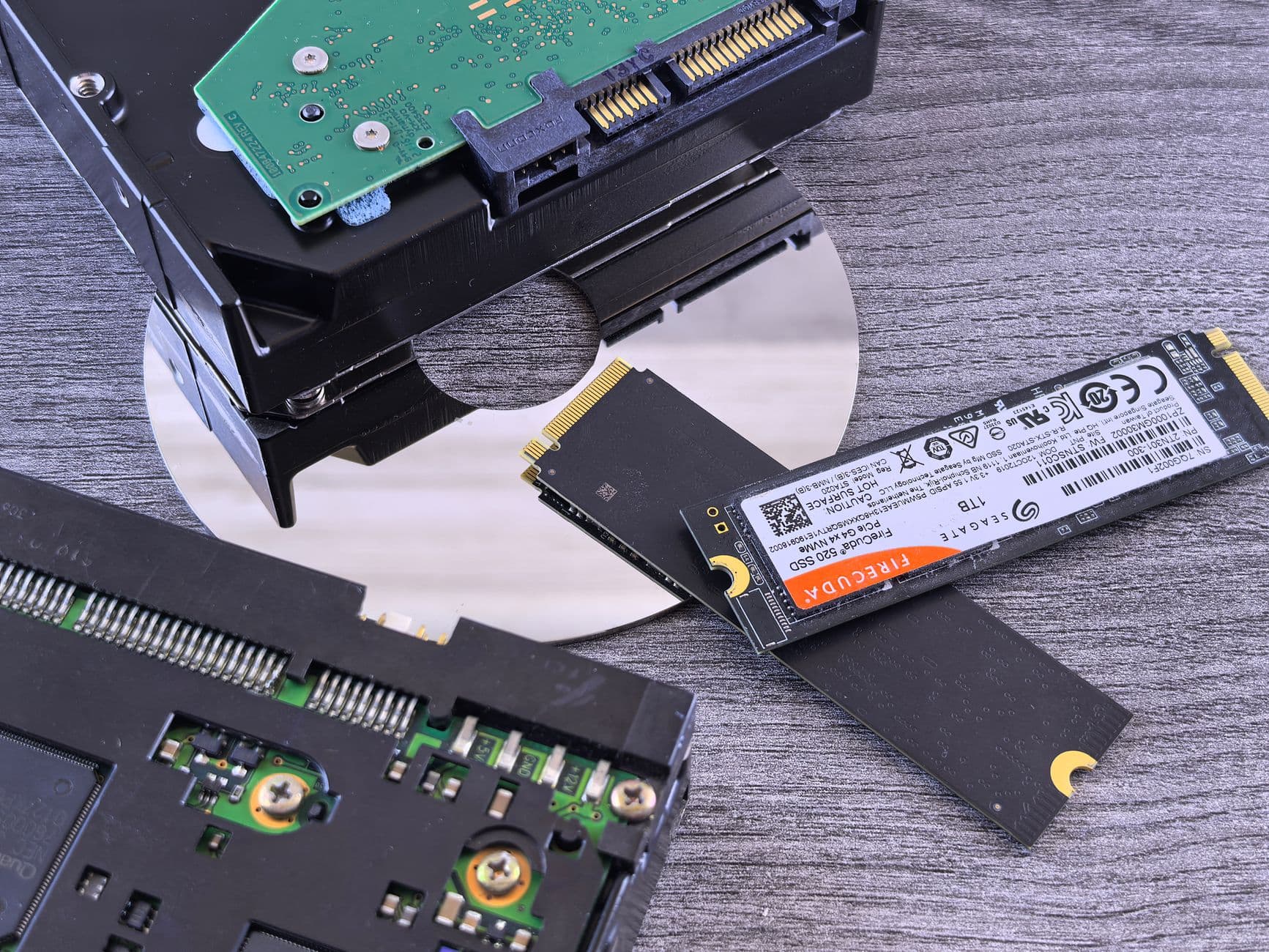
NVMe is flash storage connected over PCIe with a protocol designed for flash — far quicker and far more parallel than the SATA-era SSDs it replaced.
Below: the fuller explanation, a picture that makes it stick, why it matters in practice, and where you will actually run into it.
Written by the Hosting Seller staff · Checked 1 August 2026
100+
Terms on the shelf
2 min
Typical read
Plain
English, we promise
24/7
People if you're stuck
The name, Non-Volatile Memory Express, points at the change: thousands of parallel queues and latencies measured in microseconds, where SATA's design still assumed a disk with a moving head in it.
In hosting you feel it in the database. Small random reads are exactly the workload where NVMe's low latency shows up, which turns directly into snappier dynamic pages and admin screens that stop making you wait.
The everyday comparison
Swapping a single country lane for a motorway junction. The vehicles are quicker, but the bigger change is that thousands of them can move at once instead of queueing behind each other.
Keep that picture in mind and most of the documentation you will ever read on the subject stops being mysterious.
What is actually at stake
Which storage generation a host runs tells you a lot about the rest of their platform. NVMe as standard, which is what we fit, means current kit. Vague talk of 'SSD' at a premium price usually means a refresh cycle that has fallen behind.
That is the test for any technical term, incidentally — not 'do I understand it fully' but 'do I know when it is the answer to my problem'. For this one, you now do.
What it looks like day to day
The same WordPress site moved from SATA-SSD hosting to NVMe feels different in wp-admin immediately. Every screen there is a conversation with the database, and the database now answers in microseconds.
Perfectly ordinary once you have seen it, which is rather the point: most hosting concepts are simple machinery wearing an intimidating name.
Where you will meet it on our platform
On our hosting this largely looks after itself — the platform applies sensible defaults, and the panel hands you the controls when you want them. The concepts worth reading next: SSD, Disk Space, MySQL and TTFB.
NVMe disks and LiteSpeed caching sit on the shelf at every price point, not behind a premium tier.
Unexplained jargon is bad service
We treat unexplained jargon as a service failure. This glossary is the support desk's accumulated translations, published where a search engine can hand them out for us.
Real people answer the counter at any hour, including the awkward questions other hosts wave off as out of scope.
- 100+ terms, all in plain English
- Everyday comparisons and real examples
- Related concepts linked together
- Written by the people on the desk
Why Hosting Seller
On every plan, as standard
Linked, never siloed
Related terms cross-reference each other, so one lookup grows into a working understanding.
Pictures that stick
Each concept gets a comparison you will still remember at the moment you actually need it.
Plain English first
Every term defined for people who run sites, not for other sysadmins — jargon translated rather than restated.
Grounded in real kit
Examples point at hosting you would actually use, not at an abstract diagram.
The next reads, mapped
Read on into SSD and Disk Space — terms rarely stand alone, so the neighbours are linked.
One term, fully landed
NVMe defined, pictured by comparison and placed in your own control panel — recognise-level in a single read.
First Steps
From choosing to live
- 1
Find it in your own account
The quickest way to learn a hosting term is to find it in your own panel; five minutes of looking beats an hour of reading about it.
- 2
Check what the defaults are
Confirm how your account has this set. It is usually right by default here, and now you will know rather than guess.
- 3
Follow the terms next door
Concepts travel in packs — SSD, Disk Space and MySQL finish this one's picture, and each is a two-minute read away.
In the Box
Packed with every plan
- The Softaculous installer for one-click application setup
- Real people on the counter, every hour of every day
- One-click installs for WordPress and 400+ other applications
- A 99.9% uptime commitment, watched by monitoring day and night
- cPanel, the panel the rest of the trade already knows
- Nothing added at setup — no joining fee, ever
- Upgrades apply to the account in place, with no move between plans
- The renewal price printed on the tag matches the order price
- Webmail in the browser plus IMAP, POP and SMTP for your own client
- DDoS filtering handled out at the network edge
Across the Counter
The questions we get asked most
NVMe and SSD — surely those are the same thing?
Every NVMe drive is an SSD, but plenty of SSDs are not NVMe. The flash inside may be similar; what differs is how it connects, and SATA's ceiling caps what the flash behind it can deliver. NVMe is the word to look for on the spec sheet.
Does NVMe make a difference to a small site?
Proportionally it matters most. Small sites live or die on database latency, which is what uncached pages and admin work are made of, and that is precisely where NVMe bites. It is also why we run it across every plan rather than reserving it for the top tier.
Can I bring a domain I already own?
Yes, and transfers in are routine. Unlock the name at your present registrar, collect the auth code, then start the transfer from your client area. Whatever registration time is left comes across with it, and DNS keeps answering the whole way through.
Which control panel comes with the account?
cPanel, which the whole trade already knows. That means every tutorial online matches what you see, your backups restore onto any cPanel host anywhere, and what you learn here stays useful for life. Plesk and DirectAdmin are stocked on specific plans for anyone who prefers them.
Are backups included, and can I put one back myself?
A backup is taken daily on every plan, and the restore is yours to run from the panel in minutes — files, databases or both, at three in the morning without waiting on a ticket. Keeping your own copy offsite as well is never a bad habit, and nothing here stops you.
Can one plan hold more than a single website?
From the Pro tier upward, yes — several sites, each with its own domain, mailboxes and certificate, all under one account. If those extra sites belong to clients rather than to you, reseller hosting is the better fit: it gives each one proper separation.
What happens to my files if I leave?
The site and the files stay yours. Pull a full backup from the panel whenever you like, before or during cancellation. Domains remain registered in your name for the term you paid for and can move to any registrar once the standard 60-day window has passed.
Read next
SSD
An SSD stores data in flash memory with nothing moving inside it — the storage generation that pushed spinn…
TTFB (Time To First Byte)
TTFB measures the gap between asking for a page and receiving its first byte — the server-and-network share…
Domain Names
Search, register and transfer names — year one free with annual hosting.
Web Hosting
cPanel hosting on NVMe disks, with SSL, migration and year-one domain included.
Packing up and moving host? Take our checklist.
A plain running order for a move nobody notices: what to copy first, how to carry email across without dropping a single message, when to point DNS, and the two slips behind nearly every hour of downtime we get called about.
Your site is worth better hosting.
Every plan carries the essentials other hosts ring up as extras — and support that actually replies.
See the plans