Hosting Terms
What is SSD?
What SSD really means, with the jargon taken out — plus the example that makes it obvious.
Straight answer first
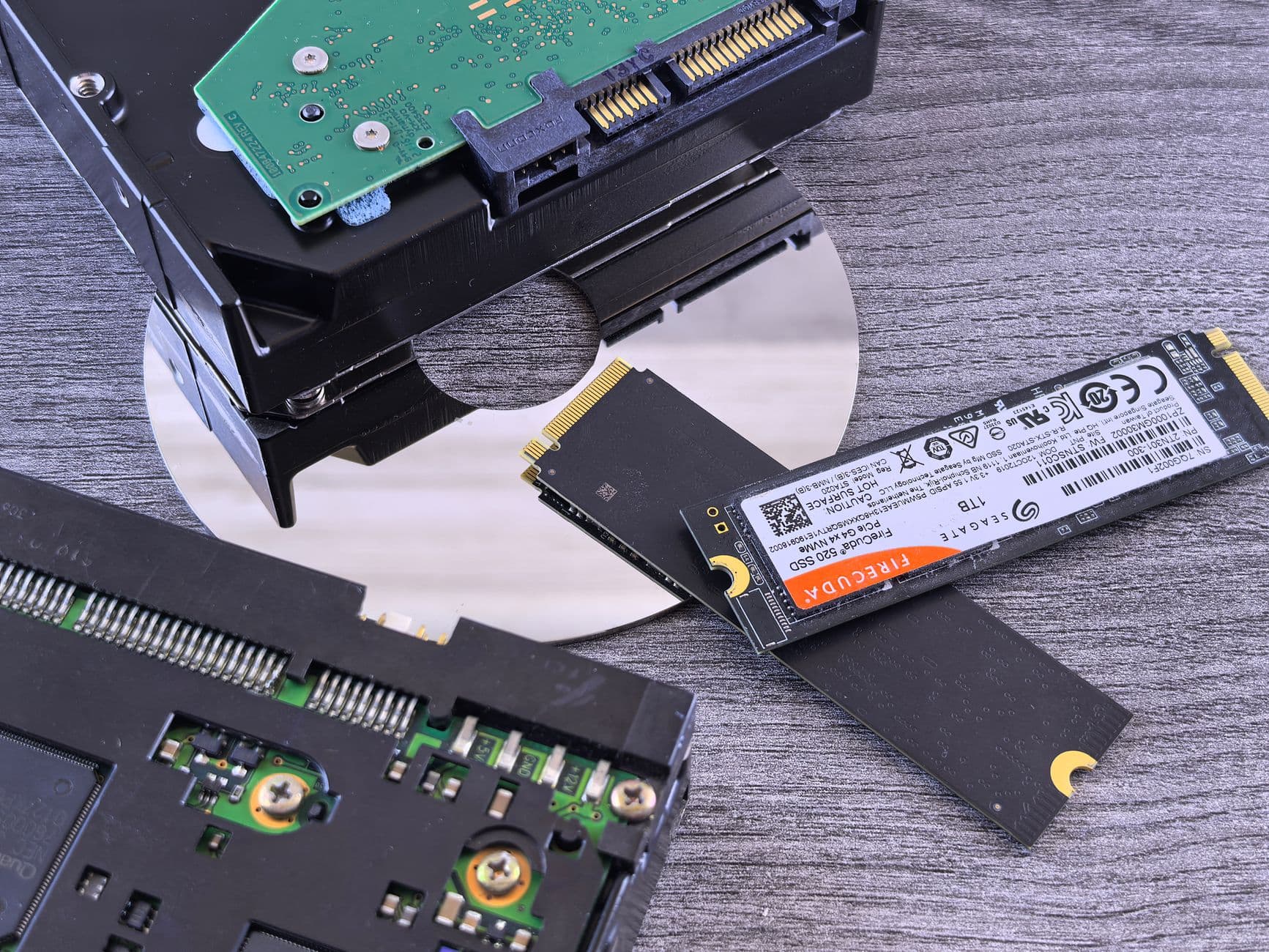
An SSD stores data in flash memory with nothing moving inside it — the storage generation that pushed spinning disks out of serious hosting.
Below: the fuller explanation, a picture that makes it stick, why it matters in practice, and where you will actually run into it.
Written by the Hosting Seller staff · Checked 1 August 2026
100+
Terms on the shelf
2 min
Typical read
Plain
English, we promise
24/7
People if you're stuck
Compared with a hard disk, an SSD answers random reads orders of magnitude faster, which transformed anything database-heavy. Within the SSD family the connection splits the eras: SATA drives run into the limits of an old bus, while NVMe drives were designed to leave it behind.
In hosting adverts, 'SSD' has quietly come to mean 'not the newest'. The word to look for now is NVMe, stated specifically rather than implied.
The picture that makes SSD stick
The day the shop replaced the card index with a computer. No more walking to a drawer and thumbing through it; the answer is simply there. And within the computer era, SATA and NVMe are two different decades of machine.
Comparisons simplify, naturally — but this one holds together well enough to reason with, and reasoning is the whole point of a glossary.
Why this one is worth knowing
Storage class quietly sets the floor your site's speed can never go below. Reading a host's storage wording — HDD, SSD, NVMe — tells you which decade their platform belongs to before you have run a single benchmark.
You do not need to work at this layer every day. You need to recognise it when it explains something, which is exactly the moment this page earns its keep.
One concrete example
A query that once waited on a physical head crossing a spinning platter now reads from flash in microseconds. Of every hardware change of the last fifteen years, that one did most to change how shared hosting feels.
Perfectly ordinary once you have seen it, which is rather the point: most hosting concepts are simple machinery wearing an intimidating name.
How this turns up in your own account
You will meet it in the control panel and occasionally in a support conversation, usually already set the right way. If this term made sense, the natural next reads are NVMe, Disk Space, Database and Dedicated Server.
Real people answer the counter at any hour, including the awkward questions other hosts wave off as out of scope.
Why we bothered with a hundred definitions
Every confusing term in hosting turns into a support ticket sooner or later, so we defined the hundred most common ones properly, once, in the plain English we would use across the counter.
What you pay on day one is what you pay at renewal, so the year-two invoice holds no surprises worth opening early.
- 100+ terms, all in plain English
- Everyday comparisons and real examples
- Related concepts linked together
- Written by the people on the desk
Why Hosting Seller
On every plan, as standard
Plain English first
Every term defined for people who run sites, not for other sysadmins — jargon translated rather than restated.
One term, fully landed
SSD defined, pictured by comparison and placed in your own control panel — recognise-level in a single read.
The stakes spelled out
Not only what it is, but when it turns out to be the answer to a problem you are having.
Grounded in real kit
Examples point at hosting you would actually use, not at an abstract diagram.
Linked, never siloed
Related terms cross-reference each other, so one lookup grows into a working understanding.
Honest about what to skip
Most terms are recognise-level rather than operate-level, and the glossary says which is which.
First Steps
From choosing to live
- 1
Find it in your own account
Open the control panel and find where this concept lives — seeing it attached to your own site is what turns a definition into understanding.
- 2
Check what the defaults are
Confirm how your account has this set. It is usually right by default here, and now you will know rather than guess.
- 3
Follow the terms next door
Concepts travel in packs — NVMe, Disk Space and Database finish this one's picture, and each is a two-minute read away.
In the Box
Packed with every plan
- Webmail in the browser plus IMAP, POP and SMTP for your own client
- PHP versions picked per site from the panel
- NVMe SSD storage on every shelf, not just the top one
- A 99.9% uptime commitment, watched by monitoring day and night
- Nothing added at setup — no joining fee, ever
- Staging copies so changes get tested before they go live
- SSH, Git and Composer on the plans built for developers
- cPanel, the panel the rest of the trade already knows
- A backup taken daily, with restores you run yourself
- One-click installs for WordPress and 400+ other applications
Across the Counter
The questions we get asked most
Is SSD hosting still worth choosing now NVMe exists?
SSD beats a hard disk by an enormous margin and NVMe beats SATA SSD by a real one, so take the newest on offer. Hard disks keep exactly one useful role: cheap bulk capacity for backups and archives, where nobody is waiting on the read.
Do SSDs eventually wear out?
Flash has a finite number of writes, but enterprise drives, wear levelling and monitoring make wear-related failure rare in practice. And hosting is built with RAID and backups precisely so that one drive's eventual fate never becomes your data's fate.
How do I pay, and does it bill again on its own?
Orders go through a secure checkout by credit or debit card, and the renewal is taken at the same price you first paid. Every invoice sits in the client area for you to read, and switching auto-renewal off is a toggle in your account rather than a phone call.
How do I read the mail when I am away from the desk?
Webmail opens in any browser, and every mailbox also speaks IMAP, POP and SMTP — so the mail app on your phone, the client on your desktop and webmail all show the same messages in the same order.
Which control panel comes with the account?
cPanel, which the whole trade already knows. That means every tutorial online matches what you see, your backups restore onto any cPanel host anywhere, and what you learn here stays useful for life. Plesk and DirectAdmin are stocked on specific plans for anyone who prefers them.
Are backups included, and can I put one back myself?
A backup is taken daily on every plan, and the restore is yours to run from the panel in minutes — files, databases or both, at three in the morning without waiting on a ticket. Keeping your own copy offsite as well is never a bad habit, and nothing here stops you.
Where do the servers actually sit?
Our hosting runs from European datacentres with London at the centre, behind server-level caching that keeps cached pages quick for visitors anywhere. For most sites the build of the platform — NVMe disks, LiteSpeed, sensible numbers of accounts per machine — decides the speed far more than the postcode does.
Read next
Dedicated Server
A dedicated server is a whole physical machine rented to one customer — every core, every gigabyte and ever…
Disk Space
Disk space is the storage your hosting account is allowed to use across files, databases and email put toge…
WordPress Hosting
WordPress looked after for you — LiteSpeed caching, staging copies and daily backups.
Domain Names
Search, register and transfer names — year one free with annual hosting.
Packing up and moving host? Take our checklist.
A plain running order for a move nobody notices: what to copy first, how to carry email across without dropping a single message, when to point DNS, and the two slips behind nearly every hour of downtime we get called about.
Do the launch properly this time.
From a first website to a rack of servers, moving up is a change to your account rather than a migration.
See the plans