Support Economics
NVMe hosting plans — The specification your client will never ask about and always feel
No client has ever requested NVMe, and plenty have complained about the admin being slow — which is the same conversation arriving from the other end.
Straight answer first
Storage speed is a support-volume variable rather than a selling point: software that leans on a database — WordPress very much included — feels disk latency directly, so the disk under your clients decides how often they tell you the back end has got slow.
This page treats it that way. Which client complaints trace back to storage, what NVMe genuinely changes and what it cannot rescue, why paying a premium for it is a signal about a supplier rather than a feature, and how to talk about it with a client who does not care about hardware.
Written by the Hosting Seller staff · Checked 24 August 2026
99.9%
Target across the platform
24/7
Cover behind your desk
Free
SSL on every client site
NVMe
Under every account you create
Clients do not buy specifications. They buy the absence of irritation, and they report its presence in vague terms — 'the dashboard is sluggish', 'the shop search takes ages', 'it feels slower than it used to'. A meaningful proportion of those messages are storage latency arriving in your inbox with the technical detail stripped out.
NVMe answers in microseconds, which is why the identical site feels sharper the day it lands on one. It is on every shelf here rather than fenced behind a premium tier — Launch at $2.42/mo, Pro at $4.66/mo and Elite at $7.08/mo — and it sits underneath every account you create on a reseller plan.
The complaints that trace back to storage
The WordPress admin feeling heavy. It is logged in, so it is never cached, and every screen is a series of database queries. When a client says the back end is slow they are usually describing exactly this, and it is the complaint most improved by fast storage.
On-site search and filtering. A shop with faceted filters or a site with a real search box is running queries that touch a lot of rows, uncached, on demand. NVMe does not make a bad query good, but it changes the felt cost of a decent one substantially.
The first load after a change. Clearing a cache, publishing a post, or updating a plugin means everything is rebuilt from disk. Clients notice this disproportionately because it happens while they are watching, immediately after doing something.
Restores and migrations. Not a client-facing complaint, but a reseller-facing one — putting back a 5 GB account is a very different afternoon on fast storage than on slow, and you are the one waiting.
What it changes, and what it does not
It changes anything shaped like a database query, and it changes it on every plan rather than only on the expensive ones. Combined with LiteSpeed at the server, the effect on a typical client site is that the cached half is served without touching PHP and the uncached half is not waiting on the disk.
It does not rescue an unindexed query, a plugin doing forty requests per page load, or an image library uploaded straight from a camera. Cargo-cult hardware upgrades are as common in this trade as anywhere else, and a reseller who moves a struggling client to faster storage without looking at what the site is doing has bought an excuse rather than a fix.
It also does not change the client's distance from the server. Our hosting runs from London: round-trip times sit in the 5–15 ms band for UK and Ireland, 10–35 ms across Western and Northern Europe, 70–90 ms to the US East Coast and 250–290 ms to Australia and New Zealand. For a client with a distant audience, that is a CDN conversation and no disk will substitute for it.
What a premium for it tells you about a supplier
Treat it as a filter rather than a feature. NVMe stopped being a luxury several years ago, so a supplier still charging extra for it is telling you plainly how old its hardware refresh cycle is — and a reseller's exposure to an ageing platform is considerably greater than an end user's, because you have a whole book of clients on it.
The related tell is vocabulary. 'SSD-class' and 'NVMe-cached' are not NVMe, whatever the page implies, and a supplier reaching for those phrases has made a decision you will be living with. Read the specification rather than the adjective.
The third is whether the databases are on the same storage as the files. A plan advertising NVMe whose database sits out on network storage anyway has sold you the letters rather than the latency, and the workload that suffers is exactly the one your clients complain about.
How to talk about it with a client
Do not lead with the acronym. Lead with what they will notice: the admin responds immediately, the shop's search does not hesitate, publishing a post does not involve a pause. Those are outcomes a non-technical client can evaluate, and the hardware is the reason rather than the pitch.
Where a client is comparing you against a cheaper quote, the useful line is that the performance kit here is on every shelf rather than reserved for a premium tier — so the comparison is not between your package and their cheap one, it is between your package and their cheap one plus the upgrade they will need in a year.
And if a client's site is slow despite all of it, say so and investigate properly rather than reaching for a bigger plan. PHP X-Ray on the Elite tiers traces slow code to the actual query, which turns a speculative afternoon into a twenty-minute fix you can bill with a straight face.
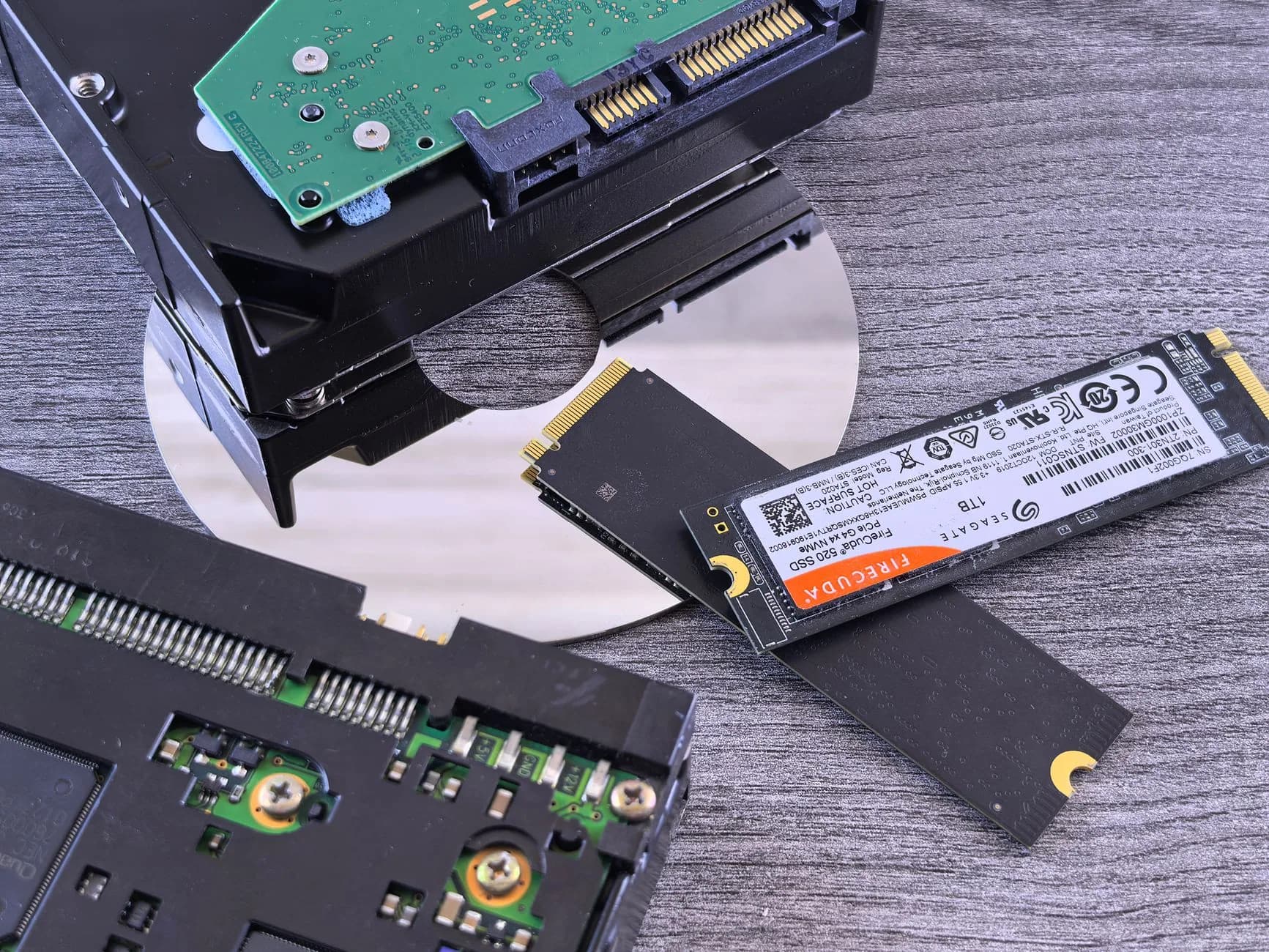
On every shelf, including the one you sell cheapest
NVMe and LiteSpeed are standard rather than tiered, which matters to a reseller specifically: the entry package you build for price-sensitive clients has the same storage underneath it as the one you build for your best account.
Upgrades apply to the account in place with no move between plans, so a client who does need more resources gets them without a migration you would have to schedule.
- NVMe on every shelf, not a premium tier
- LiteSpeed at the server, in front of it
- PHP X-Ray on the Elite tiers for tracing
- In-place upgrades with no migration
Why Hosting Seller
On every plan, as standard
Fewer 'it feels slow' tickets
Database-shaped work is where clients notice latency, and it is exactly what fast storage improves on every plan.
The same disk on your cheapest package
Storage is not tiered here, so price-sensitive clients are not quietly on worse hardware than your best account.
Restores and migrations that finish
Putting back a large account is a reseller-facing cost, and it is measured in the same latency your clients feel.
LiteSpeed in front of it
Cached requests never reach PHP and uncached ones are not waiting on the disk, which is the pair that matters.
PHP X-Ray when it is not the disk
Trace a slow request to the actual query on the Elite tiers rather than guessing, and bill the fix honestly.
A supplier not selling adjectives
The specification is stated plainly rather than dressed up as SSD-class or NVMe-cached, which is a filter worth applying to any supplier.
Price Tags Compared
How we compare with the household names
Typical sign-up and renewal prices across the market, set next to ours — the second number most comparison charts leave off.
| Line item | Hosting SellerBest seller | Typical big-brand host | Typical budget host | Typical loss-leader |
|---|---|---|---|---|
| Entry price / mo* | $2.42/mo | $4–$6 | $2–$4 | $1–$3 |
| Price at renewal / mo | $2.42/mo | $10–$15 | $8–$12 | $4–$6 |
| Renewal price on the entry plan is unchanged | ||||
| SSL on every plan | ||||
| Site migration included | ||||
| The entry plan uses NVMe storage | ||||
| Entry plan gets a backup daily | ||||
| Live human support, 24/7 |
*The number in our column is the cheapest plan on our shelf, priced on an annual term and pulled live from the very catalogue that feeds the pricing page, so it cannot drift out of date. Other columns show the ranges shared hosting tends to advertise inside each bracket: introductory rates that normally ask for a one-to-four-year commitment, then climb once that term expires. Naming individual competitors and printing their prices is something we have stopped doing. A figure we cannot re-check on the day you read it has no business sitting in front of you. So compare us with whoever you are genuinely weighing up, and read the renewal line first. That line tells you more than the headline ever will.
First Steps
From choosing to live
- 1
Log which complaints are database-shaped
Admin slowness, search, filtering and post-publish pauses — separating those from front-end complaints tells you what to fix.
- 2
Check the query before you move the client
An unindexed query or a forty-request plugin will not be rescued by hardware, and moving them buys an excuse rather than a fix.
- 3
Read the specification, not the adjective
SSD-class and NVMe-cached are not NVMe, and where the database physically sits matters more than the label on the plan.
- 4
Translate it into outcomes for the client
The admin responds, search does not hesitate, publishing has no pause — evaluate-able claims rather than an acronym.
In the Box
Packed with every plan
- NVMe confirmed under every account you create
- LiteSpeed serving in front of it, not a plugin imitation
- Client complaints categorised as cached or uncached
- Plugin request counts reviewed before any hardware move
- Database queries traced with PHP X-Ray where available
- The client's audience location factored into speed expectations
- Image handling and WebP optimisation left enabled
- Restore timings recorded so you know your own exposure
- Supplier specification read rather than the marketing adjective
- In-place upgrade path understood before a client needs it
Across the Counter
Things people ask us all the time
A client says their WordPress admin is slow. Is that a hosting problem?
Often, and specifically a storage and database one — the admin is logged in, never cached, and every screen is a series of queries. Check the plugin count and look for anything running a query per row before you conclude anything, but the admin is the single client complaint most improved by fast storage. If the site is on a shelf with PHP X-Ray, trace it rather than guessing.
Is it worth moving a client to a bigger plan for speed?
Only after you have looked at what the site is actually doing. Moving a struggling client to more resources without investigating buys you an excuse and a bigger invoice for them, and the problem returns. Where the diagnosis genuinely is resources, the upgrade applies in place with no migration — Pro at $4.66/mo and Elite at $7.08/mo — so acting on evidence costs you nothing in scheduling.
Should storage speed be part of my sales pitch?
Only translated. Clients do not buy acronyms; they buy an admin that responds and a search box that does not hesitate. Where you are being compared on price, the useful point is that the performance hardware is on every shelf here rather than reserved for a premium tier, so the cheap quote your prospect is holding probably includes an upgrade they have not been told about yet.
Does fast storage help a client whose visitors are overseas?
Not with the distance. Our hosting runs from London, which puts UK visitors in the 5–15 ms band and the US West Coast at 130–150 ms; South Asia sits at 120–200 ms and Australia at 250–290 ms. Fast storage improves what happens once the request arrives. For an audience far from London, the honest recommendation is a CDN in front for the cached half, with the understanding that logged-in and checkout pages still travel.
How does storage speed affect me rather than my clients?
Restores and migrations. Putting back a 5 GB client account, or moving a book of sites in, is a job whose length is set by disk throughput, and you are the one waiting for it. It also affects your quarterly restore drill: a rehearsal that takes twenty minutes on fast storage and ninety on slow is a different operational commitment entirely.
Read next
WHMCS Hosting
Hosting the billing system your whole reseller business depends on, and what its downtime actually costs you.
Laravel Hosting Plans
The framework client whose deploy step and queue workers put a different kind of load on the same disk.
Web Hosting
cPanel accounts on NVMe with SSL, migration and year-one domain — the shelf most client packages are modelled on.
Secure Hosting
Imunify360, per-account isolation and hardened defaults — the security story you pass on to your clients.
Moving your site to another host? Start with this checklist.
A step-by-step order of work for a move your visitors never spot: which files to copy first, how to carry email across without losing one message, the right moment to repoint DNS, and the two mistakes behind nearly every hour of downtime people ring us about.
Same hardware on every package you build.
NVMe and LiteSpeed across all the shelves, under every client account you create from WHM.
See Web Hosting plans